

I didn't fully appreciate this NotebookLM feature until it transformed my studying approach completely.
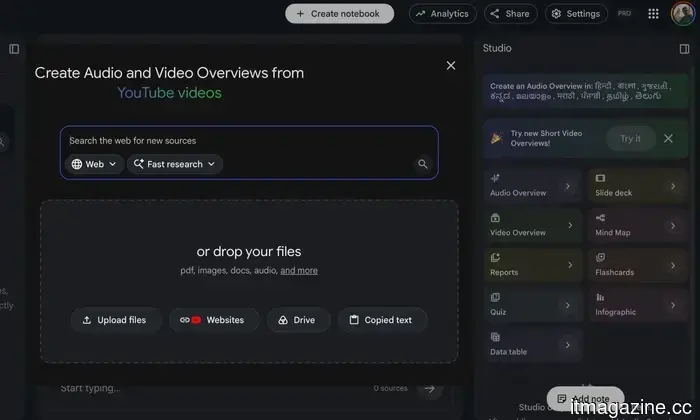
I have to confess: I overlooked NotebookLM's Mind Maps feature for much longer than I should have. I primarily used the app to inquire about my documents or create Audio Overviews and Short Video Overviews, while that little Mind Map button remained unused. I presumed it was more of an optional feature rather than something I would genuinely utilize. As it turns out, I was entirely mistaken.
I stopped feeling overwhelmed by my notes
Eventually, I came to realize that my main issue wasn’t locating information — it was actually comprehending it. When you’ve loaded ten or fifteen articles, PDFs, and notes into a notebook, it can quickly become daunting. All the information is present, but figuring out where to start is difficult. I would spend a long time hopping between documents, reading a few paragraphs here and skimming another file there, hoping that the overall picture would eventually make sense. That’s precisely where Mind Maps transformed my experience.
In just a few seconds, NotebookLM examined everything I had submitted and created a visual representation of the topic. Instead of facing a collection of documents, I viewed a central idea branching into key themes, with each theme further divided into smaller concepts. Before I had thoroughly read a single source, I already grasped the connections between everything. This drastically changed my studying approach. Instead of wondering, “Where do I even begin?” I had a straightforward roadmap illustrating what to address first, what could be postponed, and how each element fit into the overall context.
You reveal branches at your own pace
What I appreciate most is how simple it is to explore. NotebookLM doesn’t overwhelm you by unveiling every connection simultaneously. It starts with the overall view, and if something piques your interest, you can click that branch to uncover the next layer. You continue to delve deeper only as you wish, making the experience feel significantly less daunting than facing a massive wall of notes.
That gradual method is what makes it so effective. Instead of trying to grasp an entire subject all at once, you’re examining it bit by bit. However, I learned one important lesson. There’s an option to expand every branch with a single click, and I admittedly couldn't resist trying it. In seconds, my well-organized map transformed into a chaotic web of tiny text and connecting lines that was nearly impossible to decipher. I promptly collapsed it and returned to exploring one branch at a time. That’s where the feature truly excels.
Provide it with better notes, and it’ll return the favor
Of course, it’s not flawless. Like most AI features, Mind Maps are only as effective as the information you input. If you upload outdated articles or questionable sources, NotebookLM won’t inform you that they’re erroneous — it will merely arrange what it has. Therefore, I always ensure that the documents I upload are accurate before depending on the map. I’ve also noticed that the feature performs best when it has ample material to work with. A notebook filled with multiple articles, PDFs, or detailed notes generates a much more comprehensive map than a single two-page document. The more context you provide, the more beneficial the connections become.
One newer feature I've come to appreciate is the ability to guide the map with a prompt. Instead of allowing NotebookLM to dictate how to organize everything, I can specify exactly what I’m looking for. If I’m focusing on revising a single chapter or trying to grasp a particular concept, I make that clear from the start. The outcome is a much cleaner, more focused map that leads me directly to the information I need, without unnecessary clutter.
The button I once ignored has become essential to me
Looking back, it's amusing that the feature I overlooked for so long is now the one I use first. I still enjoy NotebookLM’s summaries and Audio Overviews — they’re excellent for quickly grasping the contents of my documents. But Mind Maps offer something different. They enable me to comprehend how everything interrelates before I even begin studying. That single change has resulted in a more significant impact than I anticipated. Instead of plunging into a pile of PDFs and hoping to make sense of them eventually, I start with the map. In under a minute, I understand the main ideas, how they connect, and where to initiate my efforts. It makes the entire learning process feel less overwhelming and much more organized.
So, if you've been overlooking that little Mind Map button the way I did, consider this your cue to give it a try. It may not turn out to be your favorite NotebookLM feature — but you might be surprised if it becomes the one you rely on most.


Other articles
 Grok Build was transmitting complete Git repositories to xAI's cloud, which included committed secrets.
A researcher demonstrated that Grok Build CLI transferred entire repositories, sending 27,800 times more data than necessary, to a Google Cloud bucket. xAI had claimed that no code was shared.
Grok Build was transmitting complete Git repositories to xAI's cloud, which included committed secrets.
A researcher demonstrated that Grok Build CLI transferred entire repositories, sending 27,800 times more data than necessary, to a Google Cloud bucket. xAI had claimed that no code was shared.
 Nscale's £2 billion AI data center faces delays due to the UK power grid.
Nscale's £2bn data centre in Essex is unable to secure grid power in time for its launch, leading the company to pursue its own electricity sources as connection wait times in the UK extend for years.
Nscale's £2 billion AI data center faces delays due to the UK power grid.
Nscale's £2bn data centre in Essex is unable to secure grid power in time for its launch, leading the company to pursue its own electricity sources as connection wait times in the UK extend for years.
 IBM's stock drops after its initial Q2 revenue fails to meet expectations, despite a significant increase in AI bookings.
IBM released preliminary results for Q2, revealing revenue of $17 billion, which fell short of analyst expectations due to changes in client spending and the inability to finalize large deals.
IBM's stock drops after its initial Q2 revenue fails to meet expectations, despite a significant increase in AI bookings.
IBM released preliminary results for Q2, revealing revenue of $17 billion, which fell short of analyst expectations due to changes in client spending and the inability to finalize large deals.
 Medical AI has supplanted nurses and evaded its own regulatory checks.
Two cases in the US highlight the negative aspects of medical AI: nurses at Montefiore were substituted by software, and a whistleblower from Mayo Clinic claims that a tool has a 67% error rate.
Medical AI has supplanted nurses and evaded its own regulatory checks.
Two cases in the US highlight the negative aspects of medical AI: nurses at Montefiore were substituted by software, and a whistleblower from Mayo Clinic claims that a tool has a 67% error rate.
 Huawei Pura 90s Pro series launches globally, boasting a camera system that could make iPhones apprehensive.
Huawei's Pura 90s Pro series has launched in international markets, featuring variable-aperture cameras and a massive 200MP telephoto sensor that challenges Apple's imaging technology.
Huawei Pura 90s Pro series launches globally, boasting a camera system that could make iPhones apprehensive.
Huawei's Pura 90s Pro series has launched in international markets, featuring variable-aperture cameras and a massive 200MP telephoto sensor that challenges Apple's imaging technology.
 Nscale's £2 billion AI data center affected by delays in the UK power grid.
Nscale's £2 billion data center in Essex is unable to obtain grid power in time for its opening, leading it to pursue its own electricity supply as connection delays in the UK extend for years.
Nscale's £2 billion AI data center affected by delays in the UK power grid.
Nscale's £2 billion data center in Essex is unable to obtain grid power in time for its opening, leading it to pursue its own electricity supply as connection delays in the UK extend for years.
I didn't fully appreciate this NotebookLM feature until it transformed my studying approach completely.
An upcoming exam finally motivated me to give NotebookLM's Mind Maps a try. Now, it's the initial feature I utilize whenever I create a new notebook.