

I assigned Gemini to handle my Gmail, and it was truly enlightening.
Most days, my inbox is a mess. It’s packed with everything — meeting invitations, marketing proposals, product press releases, critical updates, and an ongoing influx of items that all seem urgent. When it accumulates like that, it becomes overwhelming quickly. To be honest, there are days when I avoid opening my emails entirely because it feels like too much to handle, and I constantly worry that I might miss something important hidden among the clutter.
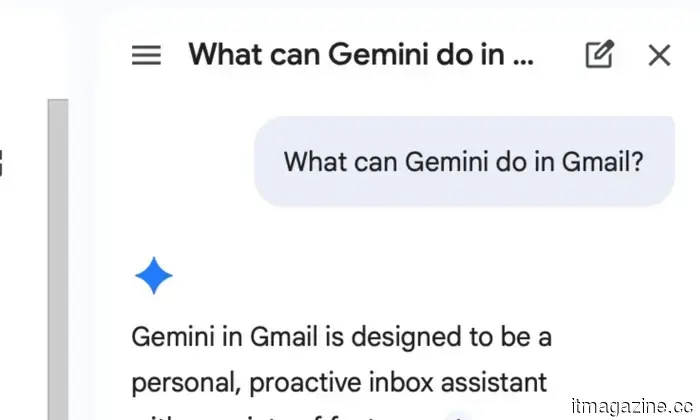
This is precisely where Gemini has made a difference for me. Having it integrated into my inbox serves as a safety net — one that assists me in navigating the chaos without feeling like I’m always trying to catch up.
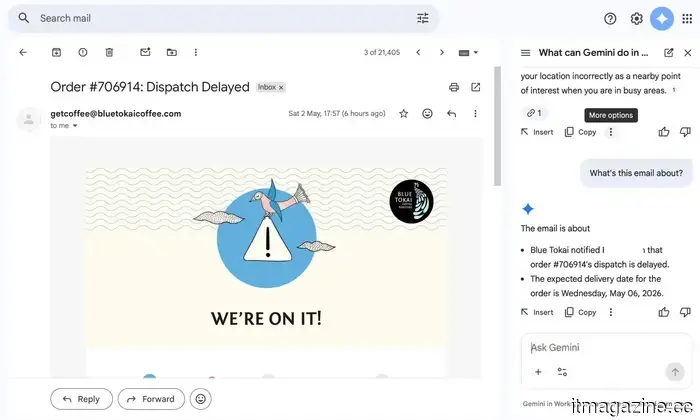
Gemini extracts the essential details so I don’t have to.
The main trouble spots in my inbox are marketing proposals and product PR emails. They contain timelines, embargo specifics, launch information, briefing calls, and asset details. All of this is crucial, but it’s also the easiest to overlook if you’re just skimming. These aren’t emails you can afford to skim. That’s why I began to rely on Gemini. I typically ask it to break things down and highlight the critical elements for me. It emphasizes key dates, flags embargo schedules, and identifies details that require my attention. Instead of sifting through lengthy passages of text, I receive clear, concise pointers that are easy to grasp.
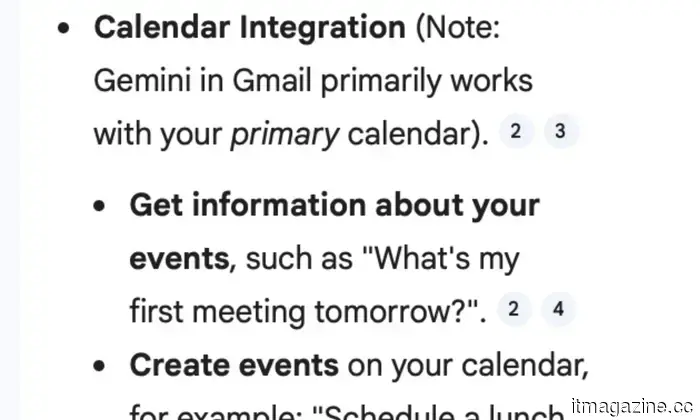
Initially, I didn’t fully trust it. For the first few emails, I made it a point to double-check everything it summarized. I wanted to ensure it wasn’t missing anything vital. However, over time, it continuously provided accurate and, more importantly, useful summaries. It often identified details that would have taken me significantly longer to discover. What impressed me is how it goes one step further; if there’s a meeting mentioned in an email, Gemini not only highlights it but also helps convert that into a calendar reminder with the relevant information pre-filled. This genuinely makes a difference on a hectic day.
Sure, all of this could be done manually. But when you already have a lot going on, reading and deciphering long emails feels tiring. They are important but don’t always require my full attention. With Gemini managing that initial pass, I don’t feel bogged down in my inbox. I can concentrate on the work that truly needs my involvement.
Now my inbox responds, and I have no complaints.
The next significant challenge is replying to those endless email threads. You know the type — five people CC’d, replies piled upon replies, and hidden within is the one thing I genuinely need to respond to. That used to consume an unexpected amount of my time. Now, I let Gemini handle the preliminary work. My typical approach is straightforward — I first ask it to summarize the thread, giving me an overview without needing to read every single message. Once I have that clarity, I request it to suggest a reply.
For instance, if it’s a product PR email requesting coverage with embargo details buried in a lengthy thread, Gemini will first break it down for me. Then it may suggest a response acknowledging the pitch, requesting review units, or confirming embargo schedules. If it’s a meeting thread, it can draft a quick confirmation, request a reschedule, or even ask for further details, depending on the context.
Interestingly, I rarely send those replies as they are. I typically tweak them a bit, add my thoughts, or adjust the tone according to the recipient. But the foundation often comes from Gemini. This doesn’t feel robotic at all. The suggestions are well-articulated, sometimes even a bit clever when appropriate, and they sound natural enough that no one realizes AI played a part.
There are also times when I’m not completely satisfied with the first suggestion. In those situations, I just ask for alternatives, and Gemini provides several different options to choose from. It’s like having a variety of choices laid out for me. For me, that’s where it truly clicks. I’m not spending time figuring out how to phrase every email from the ground up. I’m merely refining and responding, which eliminates the repetitive elements of communication.
All my tabs flow into one source.
Beyond the basics, Gemini has surprisingly excelled at connecting the dots for me. It doesn’t just analyze a single email in isolation. It can gather context from older threads, delve into files on Google Drive, and even access my Calendar when necessary.
For example, if I vaguely recall a brand sending a media kit a few weeks ago but can’t remember where it is, instead of manually searching through folders or scrolling endlessly through my inbox, I can simply ask Gemini. It locates the correct email, retrieves the attachment from Drive, and provides exactly what I need. Or, if I'm trying to determine whether I’ve already scheduled a briefing call with someone, it can cross-check my Calendar and remind me of the details without my having to toggle between apps.
Consequently, I'm not perpetually switching tabs, searching keywords, or
Other articles
 US tech companies are reducing their workforce to invest in AI, while China claims that such practices are illegal here.
China is actively promoting the adoption of AI while also allowing courts to prevent companies from citing it as a reason for layoffs. In contrast, the US isn't even considering this issue.
US tech companies are reducing their workforce to invest in AI, while China claims that such practices are illegal here.
China is actively promoting the adoption of AI while also allowing courts to prevent companies from citing it as a reason for layoffs. In contrast, the US isn't even considering this issue.
 The idea of space data centers may seem far-fetched. What if we installed them on lampposts?
A company from the UK has reached an agreement with Katsina State in Nigeria to install 50,000 solar-powered smart lamp posts that will work together as a decentralized AI data center, operating independently of grid electricity.
The idea of space data centers may seem far-fetched. What if we installed them on lampposts?
A company from the UK has reached an agreement with Katsina State in Nigeria to install 50,000 solar-powered smart lamp posts that will work together as a decentralized AI data center, operating independently of grid electricity.
.jpg) This indie film boasting a 99% rating on Rotten Tomatoes is among the three underrated Hulu movies to check out this weekend (May 2-3).
These three films available on Hulu this weekend delve into what occurs when striving for something leads you to a point of no return.
This indie film boasting a 99% rating on Rotten Tomatoes is among the three underrated Hulu movies to check out this weekend (May 2-3).
These three films available on Hulu this weekend delve into what occurs when striving for something leads you to a point of no return.
 I assigned Gemini to manage my Gmail, and it was quite enlightening.
I didn’t stop being concerned about privacy; I just stopped allowing it to hinder me. Honestly, my inbox has never felt so free.
I assigned Gemini to manage my Gmail, and it was quite enlightening.
I didn’t stop being concerned about privacy; I just stopped allowing it to hinder me. Honestly, my inbox has never felt so free.
 AI has become exclusive? A study reveals that access is biased towards the wealthy, potentially creating a new social divide.
A recent study indicates that awareness and use of AI are more prevalent among wealthier populations, highlighting concerns about an increasing digital divide and unequal access to opportunities.
AI has become exclusive? A study reveals that access is biased towards the wealthy, potentially creating a new social divide.
A recent study indicates that awareness and use of AI are more prevalent among wealthier populations, highlighting concerns about an increasing digital divide and unequal access to opportunities.
 The idea of space data centers may seem far-fetched. But what if we placed them on lamp posts?
A UK company has entered into an agreement with Katsina State in Nigeria to install 50,000 solar-powered smart lamp posts that will collectively act as a distributed AI data center, operating independently of grid electricity.
The idea of space data centers may seem far-fetched. But what if we placed them on lamp posts?
A UK company has entered into an agreement with Katsina State in Nigeria to install 50,000 solar-powered smart lamp posts that will collectively act as a distributed AI data center, operating independently of grid electricity.
I assigned Gemini to handle my Gmail, and it was truly enlightening.
I didn't cease to be concerned about privacy; I simply refused to allow it to hinder my progress. In fact, my inbox has never felt as light as it does now.