
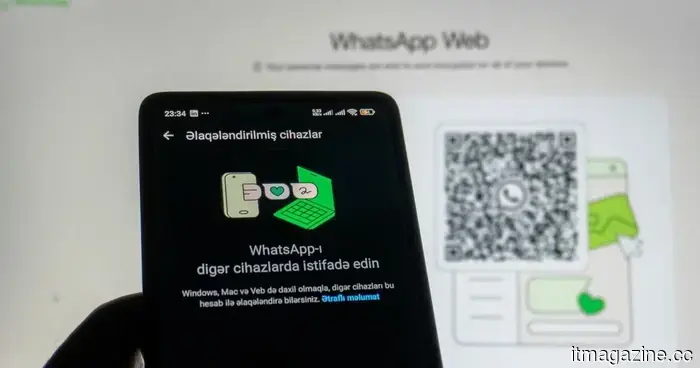
WhatsApp for Windows feels worse than it ever has, and I'm fed up with pretending it's not.
WhatsApp on PC is typically viewed as one of those essential apps that usually doesn't warrant a second thought. Similar to its Android or iOS versions, it is meant to be a dependable messaging platform for keeping in touch with friends, family, and work.
You launch it, respond to messages, attach files, perhaps take a quick call, and continue with your day. However, the current version of WhatsApp for Windows feels as though it’s providing resistance in all these areas.
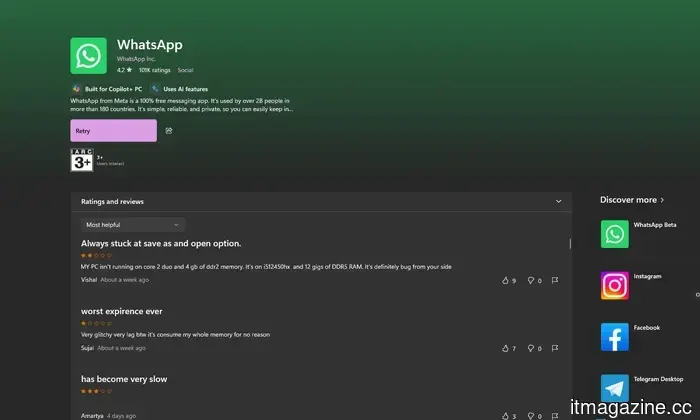
In recent months, the app has become increasingly polarizing among desktop users. Common grievances include delayed typing, slow startup times, excessive RAM consumption, chat syncing issues, unexpected logouts, and a general sense that the app functions more like a web interface than a true Windows desktop application.
What are the major problems?
Many users believe that Meta has essentially substituted a more efficient native Windows app with a shell based on WebView2, and the complaints align with what one might anticipate from such a change. A recent Reddit post from late March described the current version as an inflated “web wrapper,” noting idle RAM usage close to 2GB, noticeable input lag, slower startup, and poorer offline performance.
These frustrations have mirrored my own experiences with the app in recent weeks. PC Gamer reported on this same transition and noted similar observations regarding significantly increased memory usage compared to the previous UWP app. This situation is frustrating in its own right, and given how crucial responsiveness is for desktop messaging applications, any minor issue makes it feel fundamentally flawed.
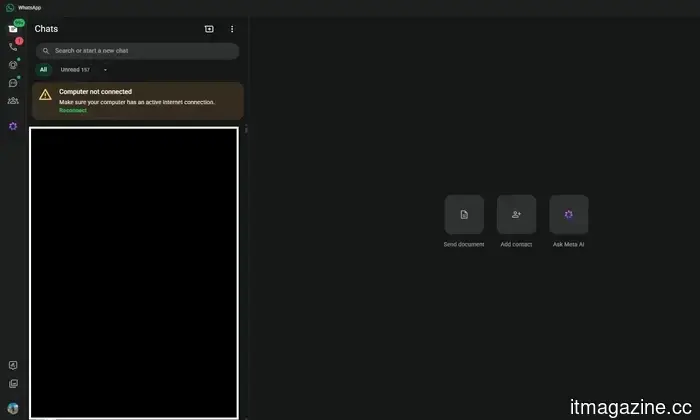
Another significant issue is the reconnecting problem that has affected the app for months. Even while the app is open, WhatsApp on Windows can become completely unresponsive, requiring users to manually click a “reconnect” prompt to start receiving messages again. This is puzzling since messaging is a core aspect of a communication application.
Users are fed up with frequent disruptions
The complaints from users are monotonously consistent. They frequently mention issues like lagging typing, slow scrolling, sluggish loading times, crashes, and regular logouts that necessitate relinking the app and resyncing chats. There have even been reports of users being logged out during conversations.
Several commenters in these discussions stated they were reverting to the browser or installing WhatsApp Web as a dedicated app due to its perceived stability.
It seems like Meta is indifferent
The current experience with WhatsApp for Windows feels like a constant trade-off. The app is bulkier, slower, less intuitive, and less dependable than it ought to be. The most disappointing aspect is that this is not some complicated creative software or niche application.
It is a messaging app, one of the most fundamental tools people use every day. If WhatsApp on PC cannot maintain a reliable connection, operate quickly, and function as expected, then it is failing at its primary responsibility.
Other articles
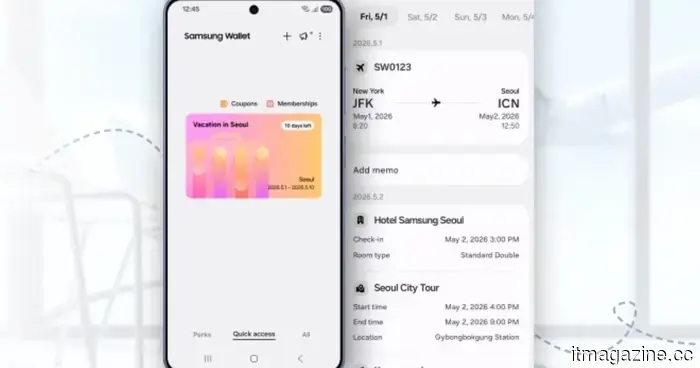 Samsung's wallet introduces an impressive trip planning feature that will make you desire a Galaxy phone.
Samsung has introduced a solution for scattered travel confirmations: the new Trips feature in Samsung Wallet, which consolidates all aspects of your journey into a single, organized, chronological display.
Samsung's wallet introduces an impressive trip planning feature that will make you desire a Galaxy phone.
Samsung has introduced a solution for scattered travel confirmations: the new Trips feature in Samsung Wallet, which consolidates all aspects of your journey into a single, organized, chronological display.
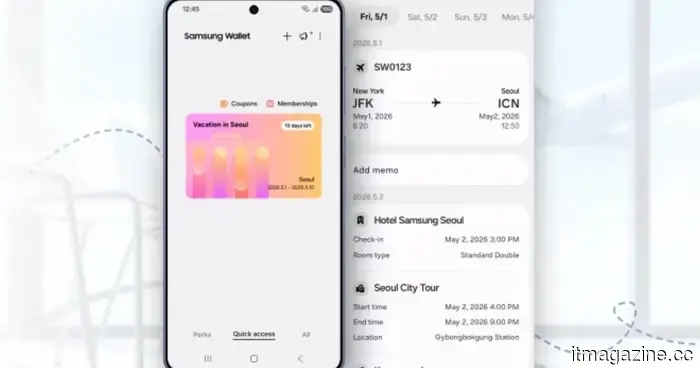 Samsung's wallet introduces an impressive trip planning feature that will make you desire a Galaxy phone.
Samsung has introduced a solution for disordered travel confirmations: the new Trips feature in Samsung Wallet, which consolidates all aspects of your trip into a single, organized timeline.
Samsung's wallet introduces an impressive trip planning feature that will make you desire a Galaxy phone.
Samsung has introduced a solution for disordered travel confirmations: the new Trips feature in Samsung Wallet, which consolidates all aspects of your trip into a single, organized timeline.
 Debate-inducing AI software is currently assisting in identifying corrupt and inactive officers.
The Metropolitan Police employed the contentious Palantir AI software to analyze internal data, identifying hundreds of officers for alleged corruption, misconduct, attendance violations, and undisclosed connections.
Debate-inducing AI software is currently assisting in identifying corrupt and inactive officers.
The Metropolitan Police employed the contentious Palantir AI software to analyze internal data, identifying hundreds of officers for alleged corruption, misconduct, attendance violations, and undisclosed connections.
 This Chrome extension allows an adorable overweight ginger cat to occupy your screen until you decide to take a break.
Unable to stop scrolling? This free Chrome extension brings a cute cat to your screen whenever you spend excessive time on social media.
This Chrome extension allows an adorable overweight ginger cat to occupy your screen until you decide to take a break.
Unable to stop scrolling? This free Chrome extension brings a cute cat to your screen whenever you spend excessive time on social media.
 The Intel Wildcat Lake processors are quite expensive, yet testing reveals they fall short compared to the MacBook Neo.
Intel's Wildcat Lake processors are designed to be fanless, suitable for laptops, and come with a surprisingly high price tag. Here’s what you should know before you get too enthusiastic.
The Intel Wildcat Lake processors are quite expensive, yet testing reveals they fall short compared to the MacBook Neo.
Intel's Wildcat Lake processors are designed to be fanless, suitable for laptops, and come with a surprisingly high price tag. Here’s what you should know before you get too enthusiastic.
 Controversial AI software is now assisting in identifying corrupt and negligent officers.
The Met Police utilized the controversial Palantir AI software to examine internal data, identifying hundreds of officers for suspected corruption, misconduct, attendance violations, and undisclosed associations.
Controversial AI software is now assisting in identifying corrupt and negligent officers.
The Met Police utilized the controversial Palantir AI software to examine internal data, identifying hundreds of officers for suspected corruption, misconduct, attendance violations, and undisclosed associations.
WhatsApp for Windows feels worse than it ever has, and I'm fed up with pretending it's not.
From slow performance and unexpected logouts to a controversial redesign, WhatsApp's Windows application is causing frustration for many desktop users.