
The FBI has gained access to Signal messages on an iPhone. Here’s how to enhance your security.
Signal has consistently been one of the most secure messaging applications available. It employs end-to-end encryption, gathers minimal data, and includes features like disappearing messages to maintain conversation privacy. For numerous users, it serves as the preferred app when privacy is a priority. While this remains unchanged, a recent incident has shown that certain parts of your conversation could still be revealed. The positive aspect is that there is a straightforward method to avert this.
How the FBI retrieved Signal messages from an iPhone
As reported by 404 Media, the FBI recently succeeded in recovering deleted Signal messages from an iPhone. This process did not entail breaching Signal's encryption; rather, investigators accessed the messages from data retained by iOS itself.
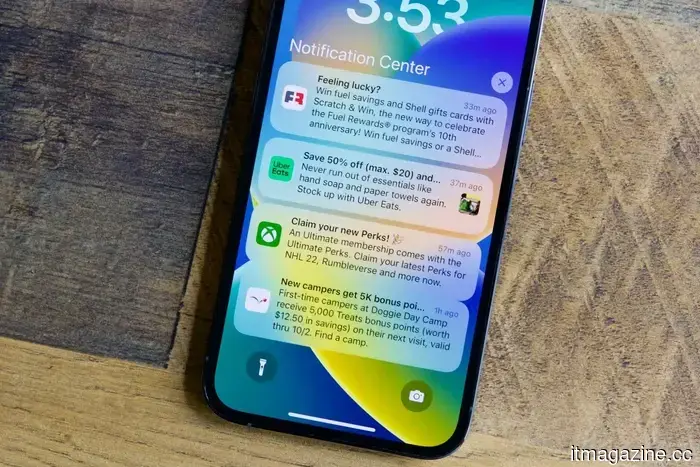
To grasp how this operates, it is essential to understand how iPhones manage notifications. When message previews are activated, iOS temporarily saves fragments of incoming messages so that they can be displayed in notification previews. This data can remain outside the app, even after messages are erased within Signal or the app itself is uninstalled.
In this situation, the FBI reportedly extracted those cached notification previews. According to available details, only incoming messages were retrieved, which still indicates that portions of conversations can exist outside of Signal’s encrypted framework.
It is important to clarify that this is not a flaw in Signal’s encryption. Messages remain secure during transit and within the app. The issue stems from how iOS administers convenience features like notification previews, which can create an additional copy of message content.
How to prevent your iPhone from revealing Signal messages
There are two methods to address this vulnerability. One involves modifying your iPhone’s settings, while the other centers on the Signal app itself. The former prevents iOS from saving message previews, while the latter restricts what the app permits to be displayed outside its encrypted environment.
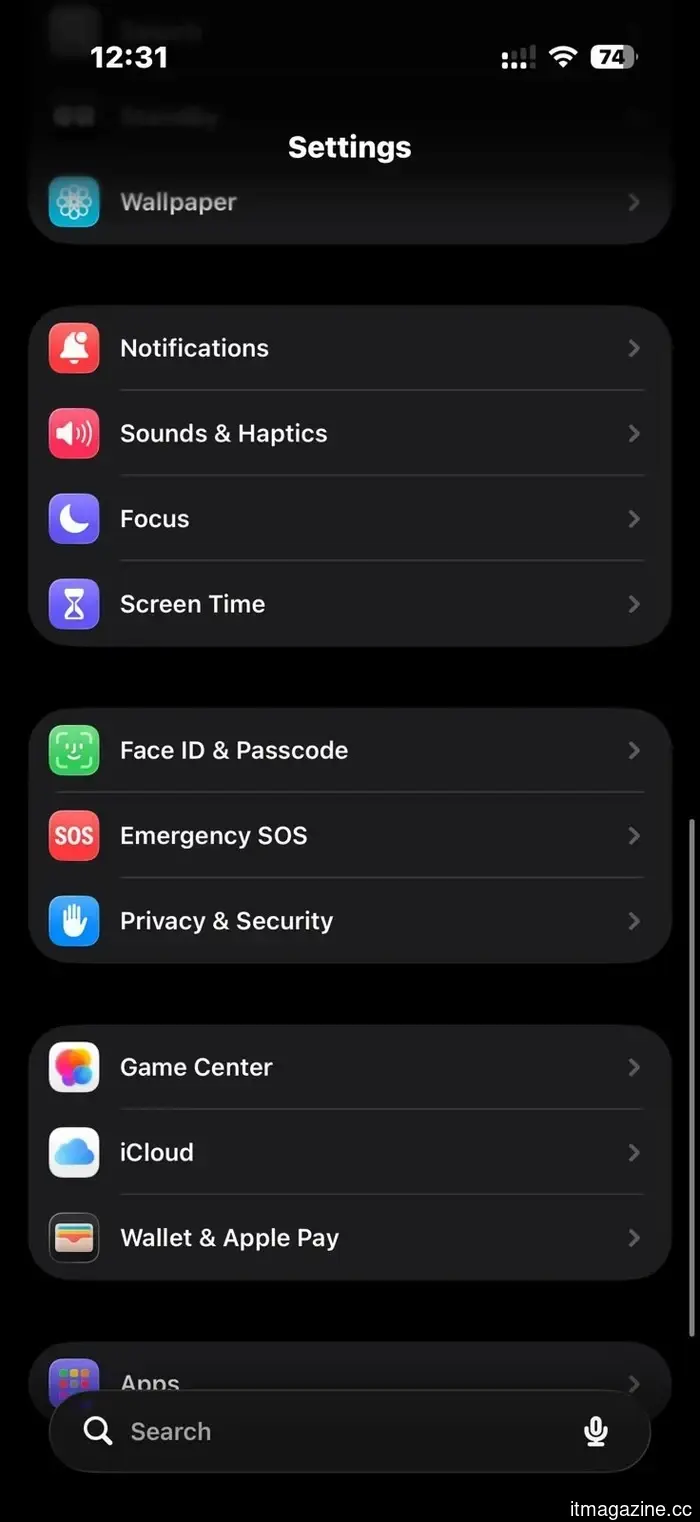
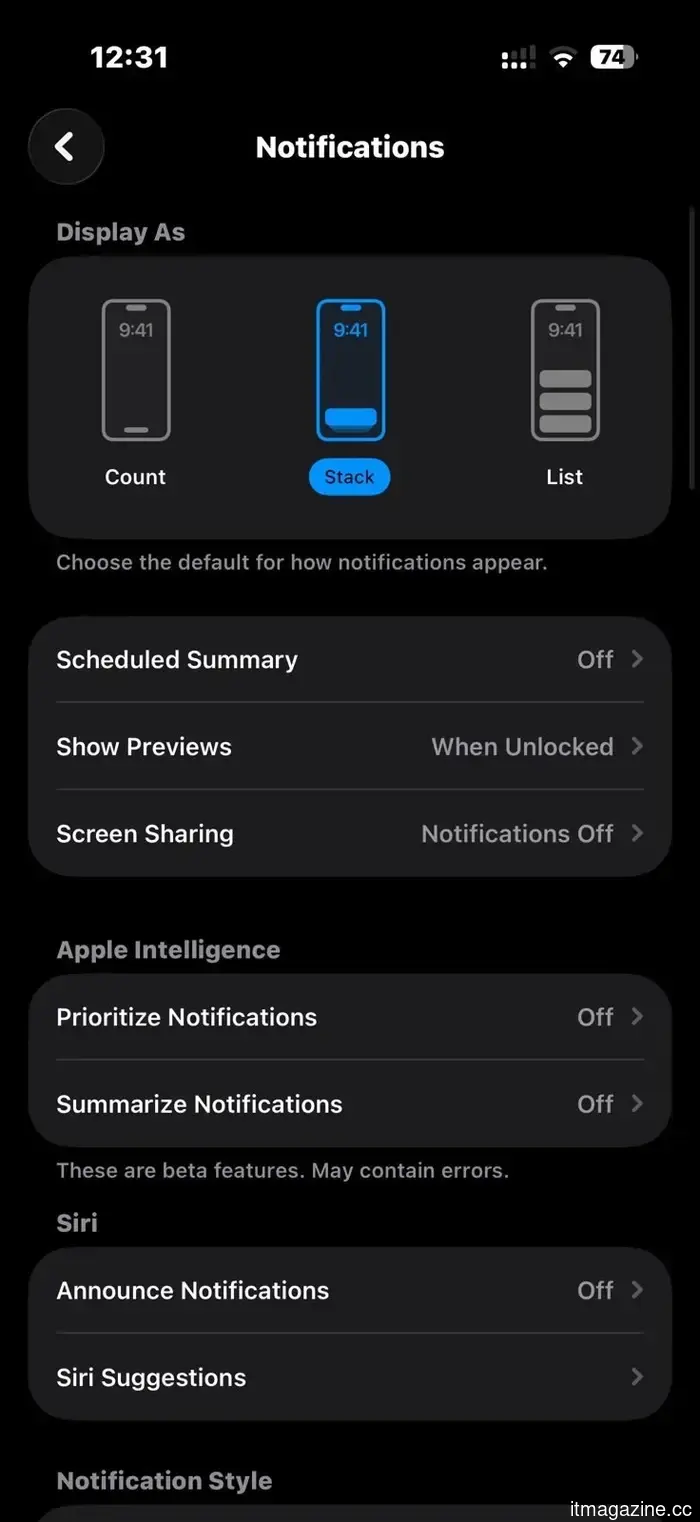
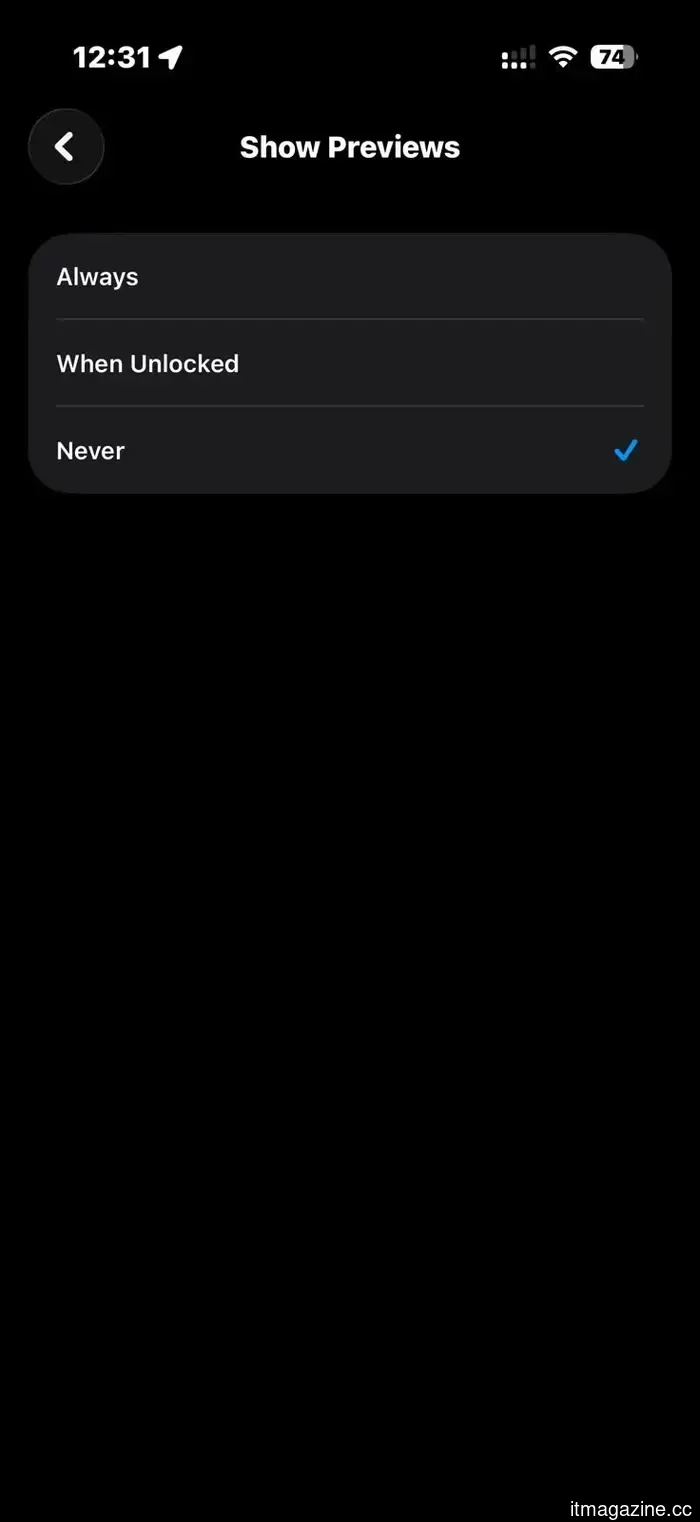
If you prefer not to let iOS create a copy of message content, you should disable notification previews. You can do this by navigating to Settings > Notifications > Show Previews and setting it to “When Unlocked” or “Never.” The first option allows message content to appear in previews only when your phone is unlocked, while the latter option completely disables previews, making it the safer choice.
This approach works effectively if you use multiple applications for private conversations, as it does not require adjusting settings for each app individually. However, if you wish to keep previews for other apps while turning them off for Signal, you can adjust settings within the app itself.
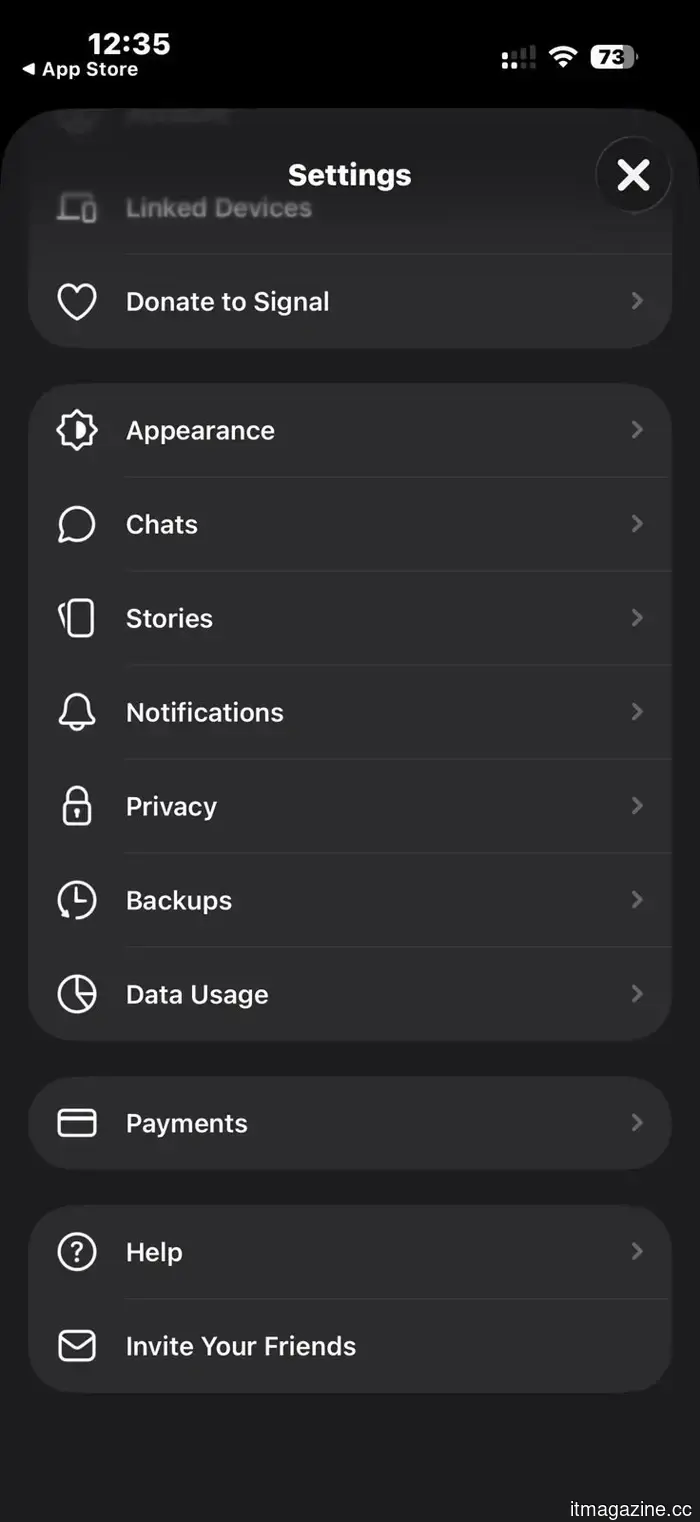
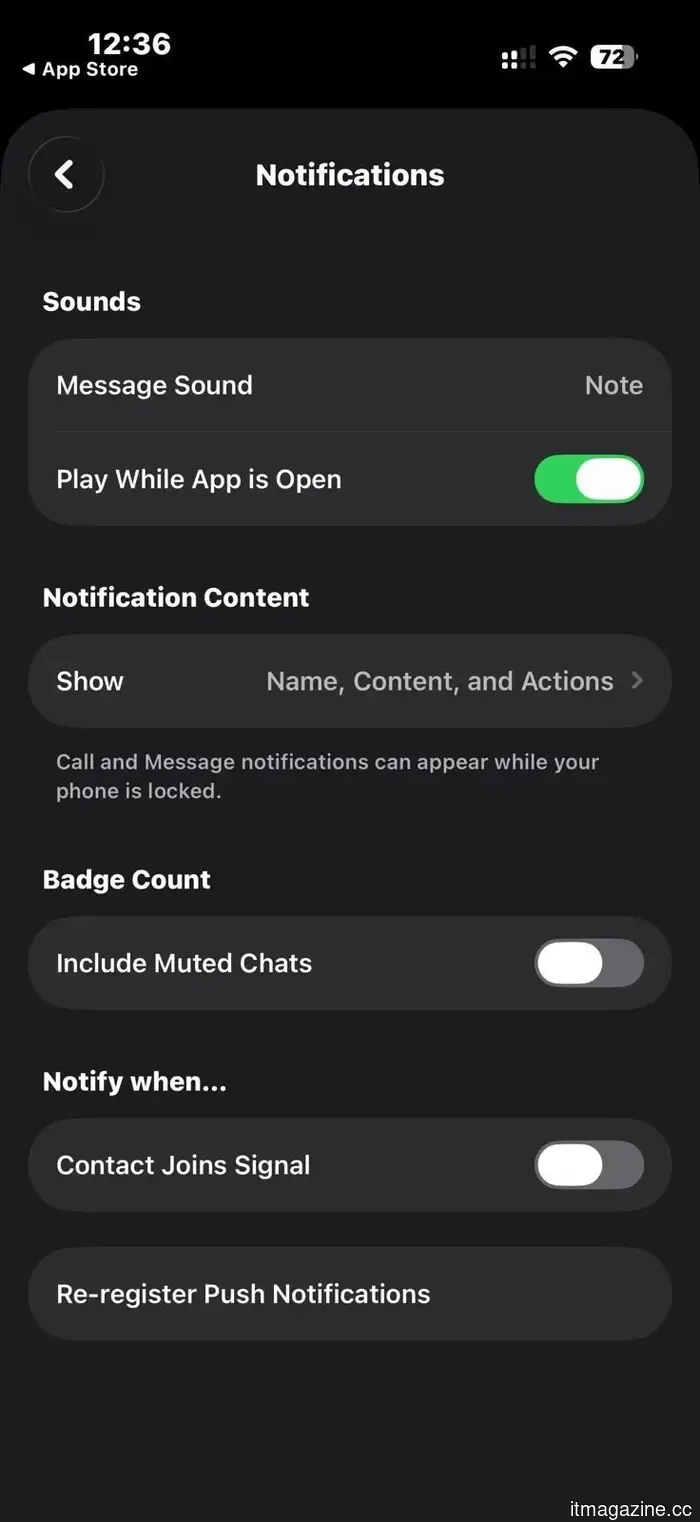
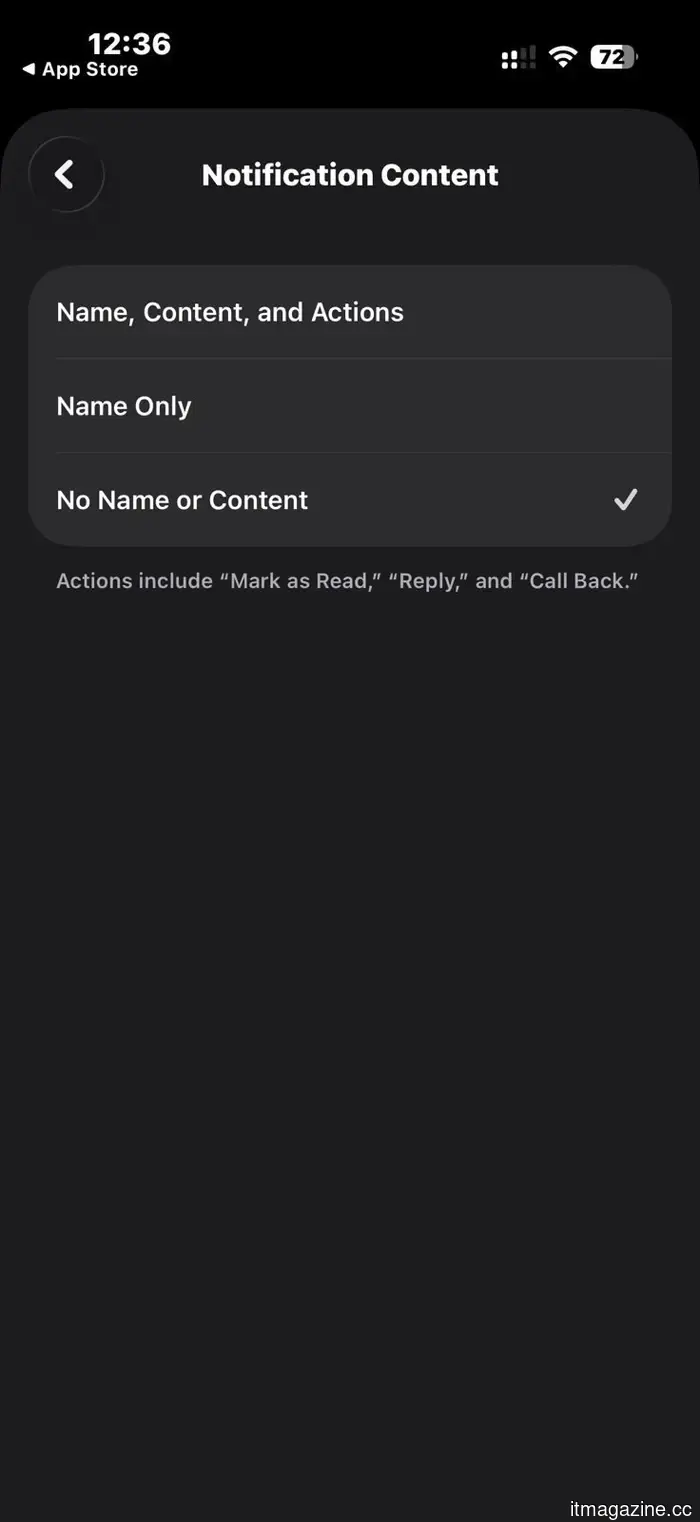
Open Signal, tap the profile icon in the top left corner, and go to Settings > Notifications. Then tap on “Show” under the Notification Content section and choose either “Name Only” or “No Name or Content.” This prevents message content from displaying in notification previews while still allowing you to receive notifications.
What this means for your privacy
Most users do not need to be concerned about this on a daily basis. The kind of data extraction demonstrated in this case requires physical access to the device and is not a common vulnerability being exploited by authorities.
However, it underscores how privacy operates in practice. Utilizing a secure app is only part of the whole picture. The operating system, its default settings, and even minor convenience features can influence how your data is safeguarded.
Signal remains one of the most secure messaging applications available. Yet, if you depend on it for private communications, it's worthwhile to take a few moments to ensure that your iPhone isn't compromising that security.
Other articles
 Top 10 SOC 2 Compliance Software for 2026
Examine the top SOC 2 compliance software for 2026. Discover how automation tools facilitate audits, minimize risks, and assist you in maintaining ongoing compliance.
Top 10 SOC 2 Compliance Software for 2026
Examine the top SOC 2 compliance software for 2026. Discover how automation tools facilitate audits, minimize risks, and assist you in maintaining ongoing compliance.
 Amazon Leo aims for a commercial launch in mid-2026 as its enterprise beta is now active.
Amazon Leo, previously known as Project Kuiper, began its enterprise beta on April 8, aiming for a commercial launch in mid-2026. The initiative includes three tiers of terminals and 22 new rocket contracts.
Amazon Leo aims for a commercial launch in mid-2026 as its enterprise beta is now active.
Amazon Leo, previously known as Project Kuiper, began its enterprise beta on April 8, aiming for a commercial launch in mid-2026. The initiative includes three tiers of terminals and 22 new rocket contracts.
 Microsoft starts removing Copilot from Windows 11 applications as part of a significant cleanup effort.
Copilot is still active, only without the neon signage.
Microsoft starts removing Copilot from Windows 11 applications as part of a significant cleanup effort.
Copilot is still active, only without the neon signage.
 Gmail’s end-to-end encryption makes its way to mobile, one year after being introduced on the web.
Google has extended Gmail's end-to-end encryption to Android and iOS for Enterprise Plus users, bridging the mobile gap a year after the feature was introduced on the web.
Gmail’s end-to-end encryption makes its way to mobile, one year after being introduced on the web.
Google has extended Gmail's end-to-end encryption to Android and iOS for Enterprise Plus users, bridging the mobile gap a year after the feature was introduced on the web.
 Microsoft starts removing Copilot from Windows 11 applications as part of a significant cleanup effort.
Copilot is still operational, but without the neon sign.
Microsoft starts removing Copilot from Windows 11 applications as part of a significant cleanup effort.
Copilot is still operational, but without the neon sign.
The FBI has gained access to Signal messages on an iPhone. Here’s how to enhance your security.
A recent incident demonstrates how the notification settings on iPhone can reveal aspects of your Signal chats, even after they've been removed. Here's an explanation of the process and tips for maintaining your privacy.