
-pensati-per-cambiare-il-modo-in-cui-ChatGPT.jpg)
Creating my inaugural NotebookLM AI-generated podcast taught me one crucial lesson to sidestep.
It began as a light-hearted idea. “What if I started a podcast where I converse with artificial intelligence bots and pretended to be genuinely interested in their responses?” I posed this to a friend.
That was several months ago, before I discovered that Google offers an AI tool named NotebookLM, which allows real-time conversations with two human-like hosts. This feature, known as interactive mode, permits listeners to join the podcast and ask questions at any moment. The bots pause to acknowledge the listener as they respond to comments.
I decided to experiment with NotebookLM to create a genuine podcast, launching it via Spotify for Creators and promoting it across my social media platforms. I learned a lot through this experience, but the outcome shed light on what it truly takes to produce a podcast. The main pitfall to avoid? Creating a podcast that sounds overly mechanical and lifeless. Here’s how I managed to make it work.
Recording in interactive mode
Google NotebookLM John Brandon
Initially, I didn’t realize that NotebookLM doesn’t actually record your exchanges with the robot hosts. Since the app (accessible on mobile and in browsers) is still in beta, there’s a lack of comprehensive documentation on using it. Instead of depending on NotebookLM to capture the interactive dialogue, I opted to use the iPhone Voice Memos app. While a serious podcaster might dismiss its lower audio quality, it was quick and user-friendly.
To begin, you need to select a topic for discussion. I chose to create “Origins with John Brandon,” a somewhat tongue-in-cheek podcast exploring the origins of everyday items. My first episode focused on the creation of bubble wrap, so I gathered several related articles and uploaded them into NotebookLM. This served as the training material for the “hosts,” who usually converse with each other, but I wanted to take charge right from the start and introduced myself as the main host.
As you can guess, this wasn’t exactly how Google intended it to function. The bots seemed taken aback, even naming me and insisting they were the real human hosts. While I asked a few questions about bubble wrap, the conversation quickly veered toward AI consciousness and awareness. I found this topic much more captivating, which gave my podcast a satirical twist akin to The Onion. In essence, while the original goal was to discuss bubble wrap, the focus shifted more toward AI.
Despite the recording quality not being great, I was pleased with the outcome. I contemplated how it might have been more effective if I had recorded the discussion using a separate digital recorder, but I wasn't aiming for any podcast accolades. I just wanted to release my first episode, and NotebookLM had impressed me with its ability to facilitate a coherent dialogue. It was fascinating how the bots reacted to my comments in real-time.
Creating the assets
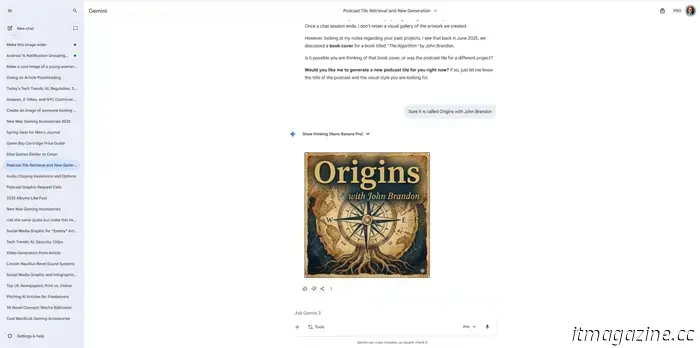
Podcast graphic John Brandon
Naturally, a podcast encompasses more than just an audio file. It also requires podcast artwork, bumper music, voiceovers, and other elements.
Once I had a recording for the initial episode, I utilized Google Gemini to design a square image for the show. Every podcast needs a tile for identification in apps like Apple Podcasts. My request was straightforward: Create a square image for a podcast titled Origins with John Brandon. I also supplied an AI-generated image of myself. On the first try, Gemini produced an impressively designed tile, akin to a professional creation. However, I didn’t want my image to be linked to it, so I asked the bot for a revision. The resulting design looked somewhat cheesy but acceptable.
With that done, I moved on to creating bumper music for my podcast using Suno. This AI sound generation tool typically uses prompts like: Create a song that resembles Coldplay mixed with Nirvana. Instead, I requested bumper music featuring synths and drums to inject some energy and excitement into the opening.
Like my initial experience with Gemini, Suno delivered suitable bumper music right away. I didn't need additional prompts, but I wanted to refine the intro with a voiceover. For that, I turned to Speechify, which can convert any text you provide into a voiceover. Then, I used ChatGPT to blend the bumper music with the voiceover as an overlay. To be transparent, I wasn’t aware that ChatGPT allowed the creation of audio files.
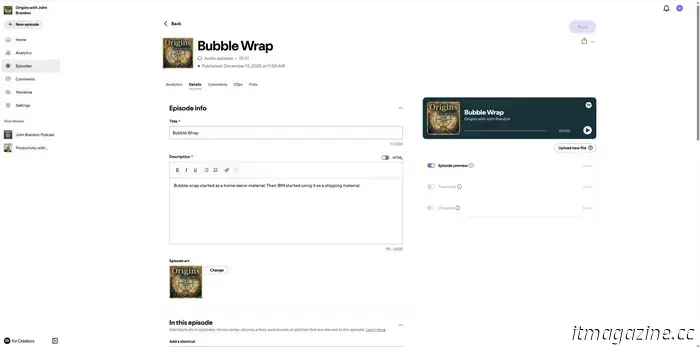
Within minutes, I had an intro complete with bumper music and a voiceover. I even adjusted the crossfade between the music and when the voiceover begins, ensuring a smooth transition. I requested ChatGPT to incorporate the podcast audio from my first episode, and it generated a final audio file, which I then uploaded to Spotify.
One thing to avoid
Spotify for Creators John Brandon
I was impressed with the final results and how everything came together, but I realized I had overly depended on AI for my podcast. The tile appeared somewhat artificial and lackluster, particularly because it featured an AI-generated image. While the NotebookLM audio retained some human-like qualities
-pensati-per-cambiare-il-modo-in-cui-ChatGPT.jpg)
Other articles
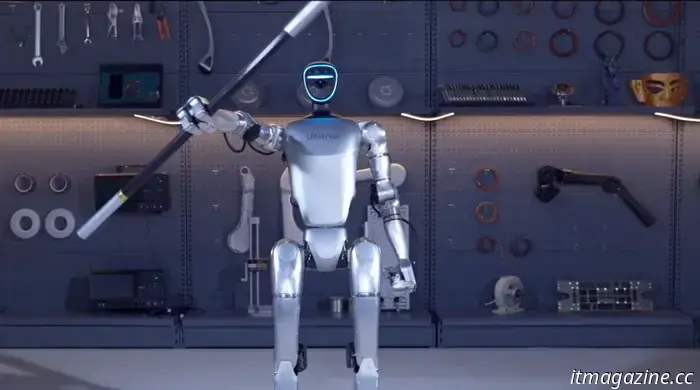 Elon Musk posts a video showing Unitree G1 humanoid robots executing backflips at a concert.
Elon Musk, the CEO of Tesla, shared a video of a concert performance from China on the social media platform X today, labeling it as “Impressive,” prompting a swift реакция.
Elon Musk posts a video showing Unitree G1 humanoid robots executing backflips at a concert.
Elon Musk, the CEO of Tesla, shared a video of a concert performance from China on the social media platform X today, labeling it as “Impressive,” prompting a swift реакция.
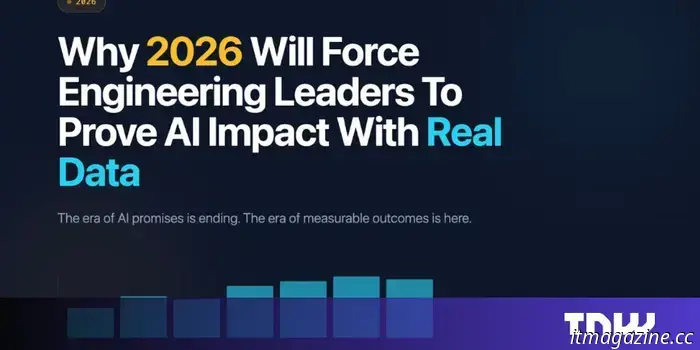 A reality check for AI in engineering
Most engineering leaders struggle to respond to the critical question their CFO is likely to pose: “Can you demonstrate that this investment in AI is impacting outcomes rather than merely driving activity?” Each December, strategic plans are finalized, budgets receive approval, and board presentations are refined.
A reality check for AI in engineering
Most engineering leaders struggle to respond to the critical question their CFO is likely to pose: “Can you demonstrate that this investment in AI is impacting outcomes rather than merely driving activity?” Each December, strategic plans are finalized, budgets receive approval, and board presentations are refined.
Creating my inaugural NotebookLM AI-generated podcast taught me one crucial lesson to sidestep.
Is NotebookLM capable of creating a podcast? Yes, it is. Will the podcast have a natural human voice? Not exactly.