
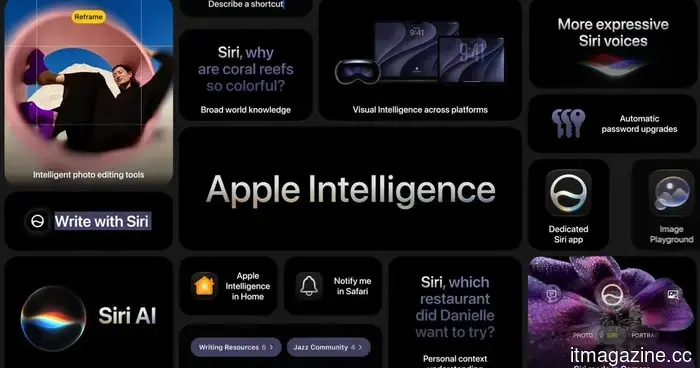
iOS 27 is full of features. Here's a rundown of the minor updates you might have overlooked.
iOS 27 features the typical Apple highlights, including Siri AI, enhancements to Apple Intelligence, and various system improvements set to release this fall. However, some of the most beneficial day-to-day updates are found deeper in the feature list.
Apple is implementing minor adjustments across Mail, Photos, Home, accessibility, connectivity, AirDrop, and even alarms. While they may not be the stars of the keynote, these tweaks could help eliminate the minor inconveniences users face long after the excitement of a major update has passed.
What fixes seem immediately beneficial
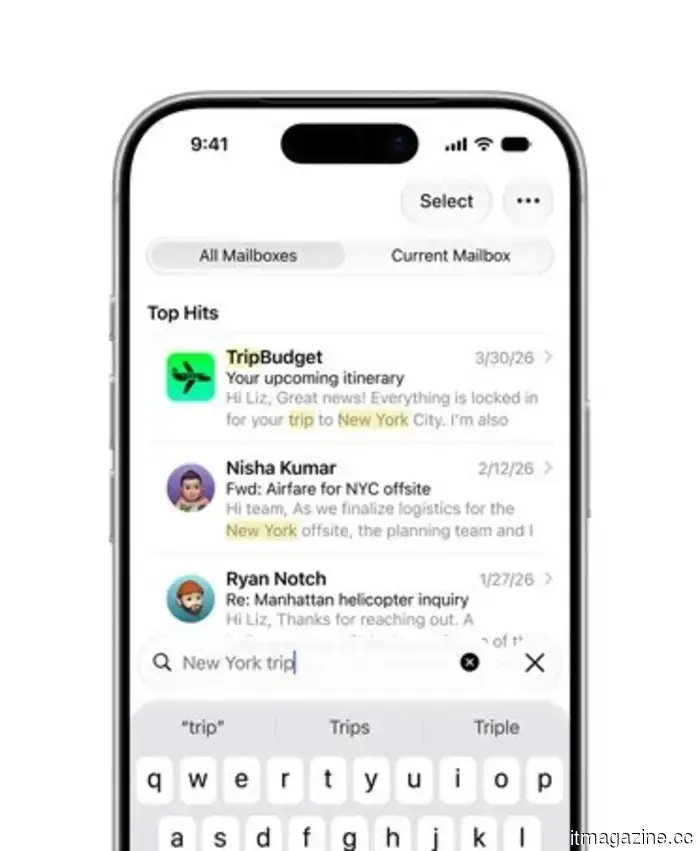
Let’s start with Mail, as search functionality is one of those aspects users only realize is lacking when it doesn’t work. iOS 27 introduces a new ranking method designed to prioritize more relevant results, which should assist users in locating receipts, boarding passes, or appointment confirmations that are buried under years of emails.
The other notable improvement is enhanced network switching. The iPhone will more effectively switch between Wi-Fi and cellular connections, which is beneficial when navigating with Maps or maintaining a FaceTime call while moving through different networks. AirDrop and AirPlay will also see improvements, featuring faster transfer speeds and quicker identification of nearby devices. Poor handoffs may be small issues, but they can quickly diminish the perceived intelligence of an expensive device.
What’s changing for shared photos
iCloud Shared Albums are becoming more user-friendly for groups with mixed devices. Users on Android and Windows will find it easier to join and contribute via iCloud.com, making it more convenient for families and group chats that operate outside of Apple’s ecosystem.
Apple is also introducing full-resolution sharing, filtering options, reactions, additional invitation features, and expiring Shared Albums. This overdue enhancement will simplify a feature that often seems straightforward until a trip concludes and everyone begins to wonder where the photos have gone. The Photos app will also gain a useful feature, allowing users to save still images from video frames.
Which upgrades might go unnoticed
Accessibility receives some of the most significant smaller additions in iOS 27. VoiceOver will offer more detailed image descriptions, while a new captioning tool can generate synchronized subtitles for videos. It can also translate existing captions, which may help make saved clips and shared videos more comprehensible without relying on an additional app.
Additionally, useful tweaks continue to accumulate. Alarms, timers, alerts, and system sounds can be controlled separately from ringtone volume, so one setting doesn't have to dictate all the sounds your iPhone produces. Notes can now copy and paste Markdown, which may not seem exciting unless you write for the web, in which case it's quite a beneficial update.
While these changes may not be the most attention-grabbing in iOS 27, they are likely to make daily use of the phone feel a bit less frustrating.

Other articles
 Orbital secures $5 million to develop AI data centers in space.
Orbital, backed by a16z speedrun, has secured $5 million in pre-seed funding to develop solar-powered AI data centers in low Earth orbit, with a demonstration flight by SpaceX scheduled for 2027.
Orbital secures $5 million to develop AI data centers in space.
Orbital, backed by a16z speedrun, has secured $5 million in pre-seed funding to develop solar-powered AI data centers in low Earth orbit, with a demonstration flight by SpaceX scheduled for 2027.
 The former Agentforce team has secured $5.1 million for their 'anti-vendor' AI.
Zaro, established by engineers involved in the creation of Salesforce's Agentforce, secured $5.1 million in funding led by Cherry Ventures for an AI platform that allows companies to retain ownership of their context.
The former Agentforce team has secured $5.1 million for their 'anti-vendor' AI.
Zaro, established by engineers involved in the creation of Salesforce's Agentforce, secured $5.1 million in funding led by Cherry Ventures for an AI platform that allows companies to retain ownership of their context.
 Safari is finally addressing its extensions issue. Unlike Chrome, Apple will allow you to develop your own extensions.
Safari is introducing an AI-driven extension builder that enables users to articulate the browser tool they desire. This could assist Apple in addressing one of Safari's long-standing shortcomings without competing against Chrome's extensive add-on collection.
Safari is finally addressing its extensions issue. Unlike Chrome, Apple will allow you to develop your own extensions.
Safari is introducing an AI-driven extension builder that enables users to articulate the browser tool they desire. This could assist Apple in addressing one of Safari's long-standing shortcomings without competing against Chrome's extensive add-on collection.
 Klarna introduces US savings accounts with a 3.28% interest rate through WebBank.
Klarna introduces its high-yield savings account in the US with a 3.28% APY, offered through the FDIC-insured WebBank. This rate is lower than those of Marcus (3.4%) and SoFi (3.8%). Specifics regarding deposits have not been revealed.
Klarna introduces US savings accounts with a 3.28% interest rate through WebBank.
Klarna introduces its high-yield savings account in the US with a 3.28% APY, offered through the FDIC-insured WebBank. This rate is lower than those of Marcus (3.4%) and SoFi (3.8%). Specifics regarding deposits have not been revealed.
 Thoma Bravo claims that the 'SaaSpocalypse' has come to an end.
Orlando Bravo of Thoma Bravo states that the 'SaaSpocalypse' has ended and that AI is providing a boost for software. However, the recovery is inconsistent, and the expenses associated with AI agents are increasing.
Thoma Bravo claims that the 'SaaSpocalypse' has come to an end.
Orlando Bravo of Thoma Bravo states that the 'SaaSpocalypse' has ended and that AI is providing a boost for software. However, the recovery is inconsistent, and the expenses associated with AI agents are increasing.
 Beacon secures $225 million for its 'anti-PE' AI consolidation.
Beacon secured $225 million in a Series C funding round led by General Catalyst to purchase 'Main Street' software companies and enhance them with AI, now acquiring approximately one each week.
Beacon secures $225 million for its 'anti-PE' AI consolidation.
Beacon secured $225 million in a Series C funding round led by General Catalyst to purchase 'Main Street' software companies and enhance them with AI, now acquiring approximately one each week.
iOS 27 is full of features. Here's a rundown of the minor updates you might have overlooked.
iOS 27 includes numerous prominent features, but the smaller updates to Mail, iCloud Shared Albums, accessibility, Home, Maps, and network switching might be the ones that stand out to users the most.