
Google launches a major v4.0 update for its well-liked Snapseed editing application on Android.
After a long period of inactivity, Google seems to have remembered that it owns one of the top photo editing apps available on mobile. Snapseed 4.0 is now being launched for Android, bringing the app up to date after a phase of iOS exclusivity that left Android users on the sidelines.
This journey began last June when Google unexpectedly resurrected Snapseed from its long slumber with a major 3.0 update for iPhone. This surprising move indicated that the company was recommitting to the app. At the beginning of this year, Google assured users that Android wouldn’t be left behind for much longer, and in line with that promise, the Play Store listing has now been updated to show version 4.0 — bypassing 3.0 for Android users and synchronizing both platforms on the same version.
A redesigned interface tailored for users’ editing habits
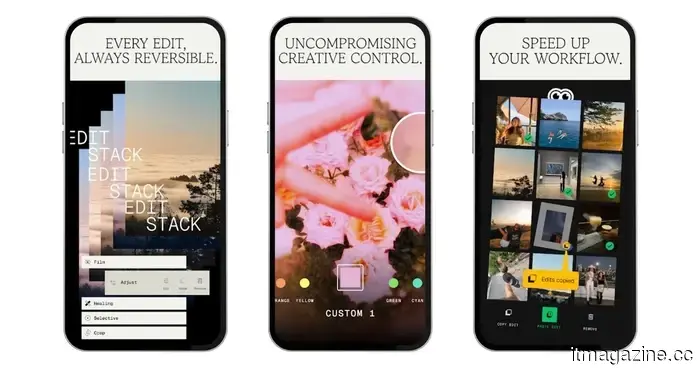
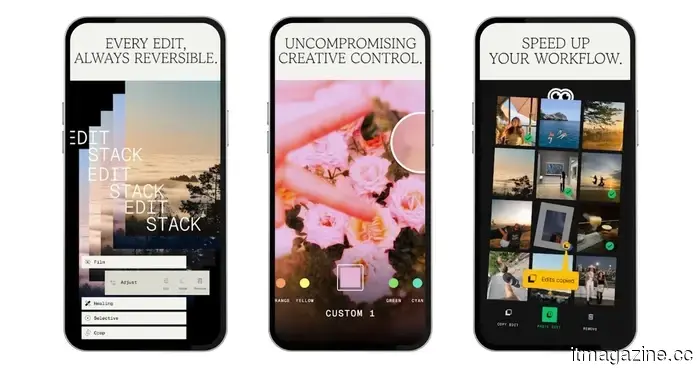
The redesign is significant — when you launch the app, you’re greeted by a homepage grid displaying your recently edited photos, giving Snapseed a more refined, gallery-like appearance. Editing options are categorized into three tabs at the bottom: Looks, Tools, and Export. The Tools section is further divided into Refine, Fix, Style, and All categories. The fundamental interaction model remains familiar: swipe left or right to modify values, and swipe up or down to navigate through choices within a particular tool. A simple toggle in the top-right corner allows you to switch between dark and light themes, with a histogram accessible with just a tap.
Snapseed
The standout feature is the Snapseed Camera — a built-in shooting mode activated by a floating button on the homepage. It includes a genuine Pro mode with manual controls for ISO, shutter speed, and focus; however, the real attraction is the real-time film emulation. Eleven film stocks are available, featuring popular emulsions from Kodak, Fuji, Agfa, Polaroid, and Technicolor. The concept is to allow you to take photos with a particular look already applied, bypassing the editing step if the result feels right. Whether this approach appeals to you may depend on your preference for RAW files, but it's a genuinely considerate option for anyone who uses JPEG.
Over 30 tools, completely free of charge
The extensive list of tools remains impressive, exceeding 30 in total, covering everything from Healing and Selective adjustments to Lens Blur, Curves, Double Exposure, and a Halation tool for that classic analog highlight effect. A One-Touch Masking feature enables smart selection to isolate subjects or backgrounds, which should greatly reduce tedious manual effort. What makes this noteworthy in 2026 is that it continues to be entirely free — without any subscription fees, watermarks, or in-app purchases. In a time when nearly every competent editing application has shifted to a subscription model, Snapseed’s choice to not follow suit feels quite revolutionary.
The rollout for Android is staged, meaning not all users will receive the update at once. Meanwhile, iOS users can download Snapseed 4.0 immediately from the App Store.
Google launches a major v4.0 update for its well-liked Snapseed editing application on Android.
Google has officially released Snapseed 4.0 for Android, and it's a significant update — featuring a completely overhauled interface, an integrated camera with real-time film emulation, and more than 30 professional editing tools, all still available for free.